Many developers treat the Product Code as just another GUID (Globally Unique Identifier) generated by a wizard. However, getting it wrong can lead to "side-by-side" installation disasters, orphaned registry entries, or the dreaded error: "Another version of this product is already installed."
| Identifier | Purpose | When to Change | | :--- | :--- | :--- | | | Identifies a specific version of an application. | For major upgrades and patches. | | Upgrade Code | Links all versions of the same product family. | Never change this. Remains constant across all versions. | | Package Code (MSI only) | Identifies the unique .MSI file itself. | Changes every time you build. |
Introduction In the world of Windows software deployment, few identifiers are as critical—or as frequently misunderstood—as the InstallShield Product Code . Whether you are a seasoned setup developer or a beginner packaging your first application, understanding the Product Code is not just a technical necessity; it is the foundation of reliable installations, seamless upgrades, and clean uninstalls.
Key takeaway: The is the family name; the Product Code is the first name. Changing the Product Code tells Windows, "This is a new version," while keeping the Upgrade Code tells Windows, "This is part of the same family." Why the Product Code Matters: Real-World Scenarios Scenario 1: The "Double Installation" Nightmare A developer generates a new Product Code for every minor nightly build. Testers install version 1.1 on Monday, version 1.2 on Tuesday. Instead of upgrading, Windows Installer allows both to install side-by-side. The user now has two entries in "Add/Remove Programs," two sets of shortcuts, and potential file conflicts. Root cause: The Product Code was changed without configuring the upgrade logic properly. Scenario 2: The Uninstall That Breaks Everything A company releases a security patch. They keep the same Product Code but change some files. The patch installs fine, but when the user tries to uninstall the original application, Windows sees the same Product Code and removes the patched files too. Root cause: Misunderstanding that the Product Code is the master key for uninstall. Scenario 3: The Correct Approach Version 1.0 (Product Code A ) is installed. You develop Version 2.0. You generate a new Product Code ( B ), keep the same Upgrade Code, and configure an "Upgrade" table. Windows Installer automatically detects A , removes it silently, and installs B . The user sees only one entry in Control Panel. This is the gold standard. When Should You Change the Product Code? The decision to change the Product Code depends entirely on the type of update you are releasing. Major Upgrade (Change the Product Code) Definition: A major upgrade is a complete replacement of the older product. It typically involves a new Product Code and often a new directory structure, component IDs, or registry layout.
HKEY_LOCAL_MACHINE\SOFTWARE\WOW6432Node\Microsoft\Windows\CurrentVersion\Uninstall\ Run PowerShell as Administrator:
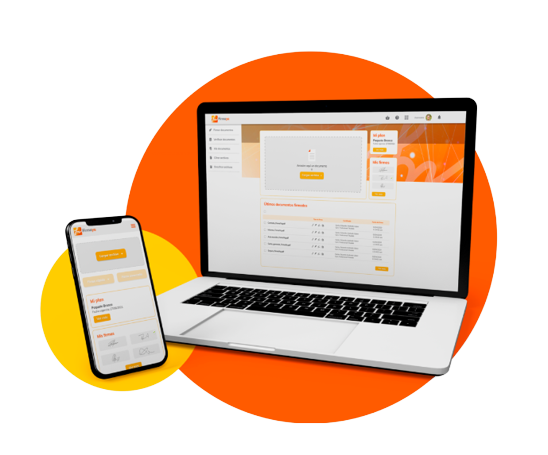
Desde cualquier lugar
Firma tus documentos completamente en línea, desde cualquier navegador web de forma fácil, segura y confiable.
Ver planes y precios
Desde cualquier lugar
Firma tus documentos completamente en línea, desde cualquier navegador web de forma fácil, segura y confiable.
Agiliza tus procesos
¡Cansado de crear y firmar volúmenes de documentos uno por uno! Con Firmaya eso se acabó… Nuestra herramienta te permite simplificar tus procesos sin complicaciones.
Agiliza tus procesos
¡Cansado de crear y firmar volúmenes de documentos uno por uno! Con Firmaya eso se acabó… Nuestra herramienta te permite simplificar tus procesos sin complicaciones.
Ver planes y preciosFirma sin límites
Adquiere tu firma digital centralizada y recibe de manera gratuita nuestro Firmaya Driver, para que firmes todo lo que necesitas sin límite alguno y sin Token.
Ver certificados digitales
Firma sin límites
Adquiere tu firma digital centralizada y recibe de manera gratuita nuestro Firmaya Driver, para que firmes todo lo que necesitas sin límite alguno y sin Token.
100% Legal
Tus documentos contarán con toda la validez jurídica y seguridad, debido a que GSE es una entidad de certificación digital acreditada por ONAC.
Integración con tus aplicaciones
Firmaya se integra a la perfección con las aplicaciones y servicios que actualmente tu empresa este utilizando.
Olvídate del papel
No más impresión, ni escaneado de documentos, con nuestra solución ahorrarás dinero y ayudarás al medio ambiente.
100% Legal
Tus documentos contarán con toda la validez jurídica y seguridad, debido a que GSE es una entidad de certificación digital acreditada por ONAC.
Firmaya se integra a la perfección con las aplicaciones y servicios que actualmente tu empresa este utilizando.
Integración con tus aplicaciones
Olvídate del papel
No más impresión, ni escaneado de documentos, con nuestra solución ahorrarás dinero y ayudarás al medio ambiente.
¡Funciona para todos!
Fácil para las personas y potente para las empresas.
Personas
Firma documentos rápidamente para liberar tiempo en tus tareas más importantes. No solo se vuelve más fácil para las personas hacer negocios contigo, sino que también te verás más profesional.
Empresas
Concéntrate en las partes importantes de tu negocio, acelera las ventas, cierre tratos más rápido, y firma tus documentos con unos pocos clics.
Many developers treat the Product Code as just another GUID (Globally Unique Identifier) generated by a wizard. However, getting it wrong can lead to "side-by-side" installation disasters, orphaned registry entries, or the dreaded error: "Another version of this product is already installed."
| Identifier | Purpose | When to Change | | :--- | :--- | :--- | | | Identifies a specific version of an application. | For major upgrades and patches. | | Upgrade Code | Links all versions of the same product family. | Never change this. Remains constant across all versions. | | Package Code (MSI only) | Identifies the unique .MSI file itself. | Changes every time you build. | installshield product code
Introduction In the world of Windows software deployment, few identifiers are as critical—or as frequently misunderstood—as the InstallShield Product Code . Whether you are a seasoned setup developer or a beginner packaging your first application, understanding the Product Code is not just a technical necessity; it is the foundation of reliable installations, seamless upgrades, and clean uninstalls. Many developers treat the Product Code as just
Key takeaway: The is the family name; the Product Code is the first name. Changing the Product Code tells Windows, "This is a new version," while keeping the Upgrade Code tells Windows, "This is part of the same family." Why the Product Code Matters: Real-World Scenarios Scenario 1: The "Double Installation" Nightmare A developer generates a new Product Code for every minor nightly build. Testers install version 1.1 on Monday, version 1.2 on Tuesday. Instead of upgrading, Windows Installer allows both to install side-by-side. The user now has two entries in "Add/Remove Programs," two sets of shortcuts, and potential file conflicts. Root cause: The Product Code was changed without configuring the upgrade logic properly. Scenario 2: The Uninstall That Breaks Everything A company releases a security patch. They keep the same Product Code but change some files. The patch installs fine, but when the user tries to uninstall the original application, Windows sees the same Product Code and removes the patched files too. Root cause: Misunderstanding that the Product Code is the master key for uninstall. Scenario 3: The Correct Approach Version 1.0 (Product Code A ) is installed. You develop Version 2.0. You generate a new Product Code ( B ), keep the same Upgrade Code, and configure an "Upgrade" table. Windows Installer automatically detects A , removes it silently, and installs B . The user sees only one entry in Control Panel. This is the gold standard. When Should You Change the Product Code? The decision to change the Product Code depends entirely on the type of update you are releasing. Major Upgrade (Change the Product Code) Definition: A major upgrade is a complete replacement of the older product. It typically involves a new Product Code and often a new directory structure, component IDs, or registry layout. | | Upgrade Code | Links all versions
HKEY_LOCAL_MACHINE\SOFTWARE\WOW6432Node\Microsoft\Windows\CurrentVersion\Uninstall\ Run PowerShell as Administrator:

Solicita más información
Dejános tus datos y un experto se pondrá en contacto contigo para asesorarte.
Preguntas frecuentes
Conoce las respuestas a las inquietudes más comunes sobre firmas electrónicas y digitales.
Preguntas frecuentes
Conoce las respuestas a las inquietudes más comunes sobre firmas electrónicas y digitales.